

Skylight Calendar is changing how families organize their daily lives by bringing touchscreen scheduling right into your kitchen or common area. Unlike traditional wall calendars or basic apps, a smart digital family calendar makes appointments, reminders, and chores visible for everyone—without juggling phone notifications or group texts.
Key Takeaways
- Digital family calendars like Skylight offer synchronized, always-visible organization for busy households.
- Technical limitations and pricing transparency remain concerns—few devices disclose integration depth or subscription models up-front.
- Adoption of hybrid digital-physical solutions is rising, especially in North America and corporate environments.
- What Is a Skylight Calendar and Why Use One?
- How to Set Up and Use Skylight Calendar (Step-by-Step)
- Advanced Analysis & Common Pitfalls
- Conclusion
- FAQs
What Is a Skylight Calendar and Why Use One?
A Skylight Calendar is a digital wall-mounted touchscreen device designed to keep family schedules, appointments, and to-do lists accessible in a single, highly visible place. By linking with existing digital calendars (Google Calendar, Outlook, Apple), families can display and review everyone’s upcoming events, assign chores, and beat calendar chaos—without fighting for screen time or device access.

With adoption of touch-based digital planners up 18% and devices like the LOOFII 21.5″ Smart Digital Calendar selling over 5,700 units/month on Amazon[source], the demand for household-wide synchronization is clear. Notably, digital calendars now capture 62% of all calendar/planner revenues globally[source], and hybrid analog-digital devices are surging due to “digital fatigue,” especially as physical wall calendars rebound in production.
Competitors like DAKboard or the Echo Show offer similar functionality, but mounting options and always-on display make Skylight Calendar stand out for central, shared usage. If you want your home to function as smoothly as your favorite home improvement projects or new living room furniture, a visible family organization tool is a smart place to start.
How to Set Up and Use Skylight Calendar (Step-by-Step)
Ready to get your Skylight Calendar up and running? Here’s exactly how to do it for a seamless transition to a shared digital family planner:
- Unbox and Mount: Place the unit near the kitchen, entryway, or wherever your family gathers most. Most models support easy wall-mounting with included hardware.
- Connect to Wi-Fi: Use the touchscreen to Connect to Wi-Fi. A stable Wi-Fi signal is crucial for keeping events up-to-date.
- Sync with Online Calendars: Link your primary digital calendars (Google, Outlook, Apple). Note: Some competitors require you to pre-authorize syncing from app settings, so check compatibility first.
- Add Family Members: Each person can display their own color-coded events for clarity. Add extra accounts for kids or roommates if needed.
- Customize the Display: Choose between month, week, or agenda views. Many devices allow photo backgrounds, weather widgets, and reminders for tasks or chores.
- Set Up Shared Reminders: Use “family event” features or assign repeating chores—very helpful when using the calendar as a chore chart. This step helps cut down on verbal nagging and post-it notes.
- Tweak Notifications: Decide which events should trigger push notifications or screen alerts. Test by adding a sample event to ensure syncing works (some devices update instantly, others lag).
Syncing your Skylight Calendar with a dedicated family Gmail or Outlook account can streamline setup and avoid conflicts with personal accounts. This keeps family-only events separate from work or private calendars.
Laminate a QR code beside your Skylight Calendar that links directly to your digital family calendar—visitors or caregivers can scan it anytime to get instant access or add new events from their phones.
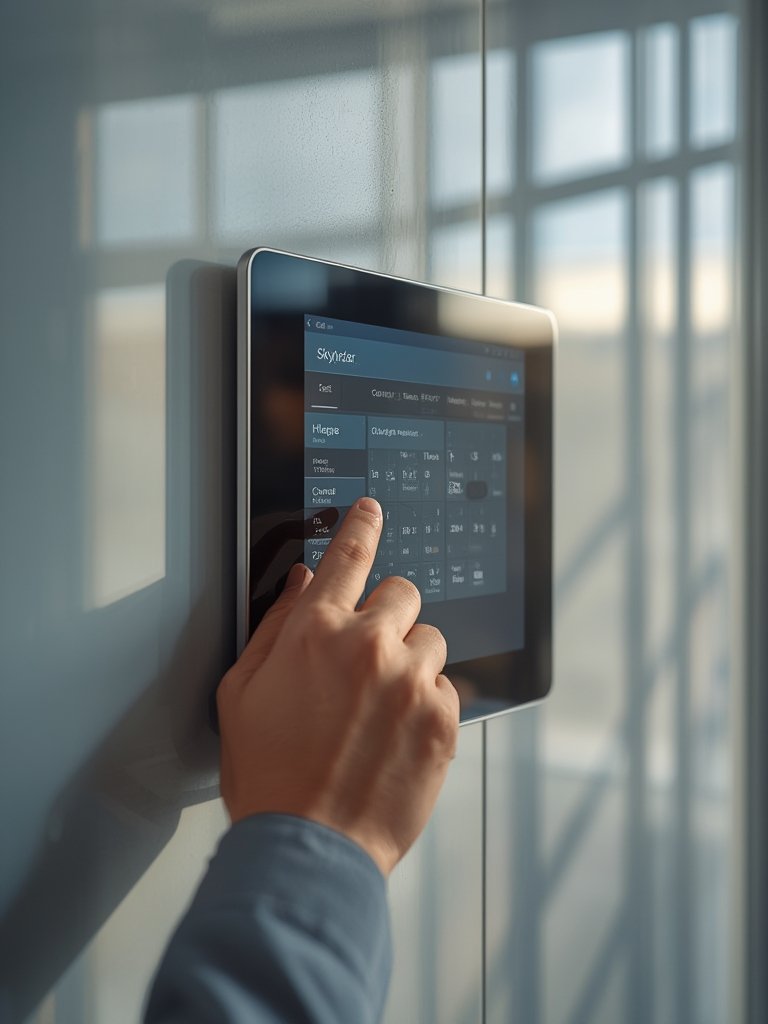
If you ever need to move your Skylight Calendar (remodeling, painting, etc.), uninstalling and remounting is designed to be straightforward. Many homeowners combine this with budget home improvement updates to modernize their spaces without breaking the bank.
For busy homes with pets or several kids, consider pairing your digital calendar with other organizational upgrades, like durable essential home tools or pet-proof dog toys. These add-ons keep your household tidy and running smoothly.
Advanced Analysis & Common Pitfalls
While Skylight Calendar and its competitors promise easy coordination, several challenges can undermine performance or satisfaction. Here’s a candid look at what real users and the latest research highlight:
| Product | Retail Price | Monthly Sales Volume | Avg. Star Rating | Notes |
|---|---|---|---|---|
| LOOFII 21.5″ Smart Digital Calendar | $336.4 | 5,711 | 4.5 | Amazon bestseller (source) |
| Micpop Digital Calendar 15.6″ | $241.04 | 1,570 | 4.4 | Competitive touchscreen model |
| Skylight Calendar | Undisclosed | Undisclosed | Not publicly rated | No transparent pricing or technical reviews found |
- Opaque pricing and subscriptions: Unlike LOOFII or Micpop, Skylight Calendar does not disclose up-front pricing or whether advanced features (like photo backgrounds or content updates) require subscriptions. The wider market shows subscription models can increase lifetime cost by 45%[source].
- Limited integration clarity: Publicly available resources do not specify how Skylight Calendar syncs with Google, Outlook, or Apple Calendar, nor do they detail syncing frequency. Cloud-based sync is industry standard, but specifics like real-time versus batch updates are missing.
- Digital fatigue: Even with the benefits of a digital family display, some users are switching back to hybrid analog options (e.g., calendars with QR syncing). This is especially true where privacy or screen fatigue is a concern[source].
- No unique chore chart innovation: Research does not show Skylight providing exclusive features in chore tracking or family member management. General digital reminders and event color-coding are common across all brands.
- Durability and usability not independently verified: No consumer reports or third-party durability reviews exist for Skylight Calendar as of 2024. By contrast, competitor touchscreens receive robust ratings (>4.5 stars).
For homeowners comfortable handling minor upgrades, converting to a digital kitchen hub can be as impactful as adding essential home tools or installing space-saving outdoor furniture. However, managing expectations for integration and ongoing fees is essential before you commit.

Conclusion
Digital planners like the Skylight Calendar bring organization and clarity to family life—especially when you need an always-on, easy-to-read display. However, many buyers are frustrated by unclear integration specifics, potential syncing delays, or hidden subscription costs, making smart research a must.
If you’re considering a Skylight Calendar, weigh the benefits of visible, shared scheduling against the questions about pricing and technical support. For the best results, compare functions and read recent market reports before investing in a new digital family command center. Take action today—get organized and reclaim family time.
FAQs
Can Skylight Calendar sync with Google or Outlook calendars?
Industry positioning suggests Skylight Calendar allows syncing with platforms like Google and Outlook, but no public documentation details the technical process, frequency, or any unique requirements. Always confirm compatibility on the manufacturer’s website before purchasing.
What are the main downsides of using a digital family calendar?
Key drawbacks include ongoing subscription fees, potential syncing delays, and digital fatigue—especially among users who prefer physical planners. Some families also express privacy concerns with always-connected devices.
Are there hidden costs with Skylight Calendar?
Currently, Skylight does not publish clear pricing, nor do they specify which features may require paid subscriptions. This is common among digital calendar devices, so be cautious and review all purchase terms.
How durable is a wall-mounted digital calendar in a busy kitchen?
No independent durability tests or consumer reports are available for Skylight Calendar. Competing products like LOOFII often earn high ratings for build quality, but for Skylight, rely on the manufacturer’s warranty.
What features make digital family calendars stand out in 2024?
Cloud-based syncing, mobile app integration, and hybrid QR features are now standard. Devices that offer seamless onboarding, recurring event reminders, and simple navigation win highest user loyalty—for details, check out our guides on home improvement and space-saving solutions.
 Transform your home without draining your wallet
[…] for containers, and even smart calendars for keeping family life on track. Digital aids like the Skylight Calendar can help coordinate household schedules and reduce overlap or forgotten […]
[…] makes cleaning up after evacuation drills or sooty days much simpler, while digital tools like wall mounted digital calendar displays help keep your home preparedness routines visible and actionable for the whole […]